If you are waiting on a deposit into your HoverTrust account, check the withdrawal status on the platform from which you sent your funds. If your funds have been confirmed sent:
1) Go to your 'Deposits' tab on the left-hand side.
2) Select the cryptocurrency you are receiving.
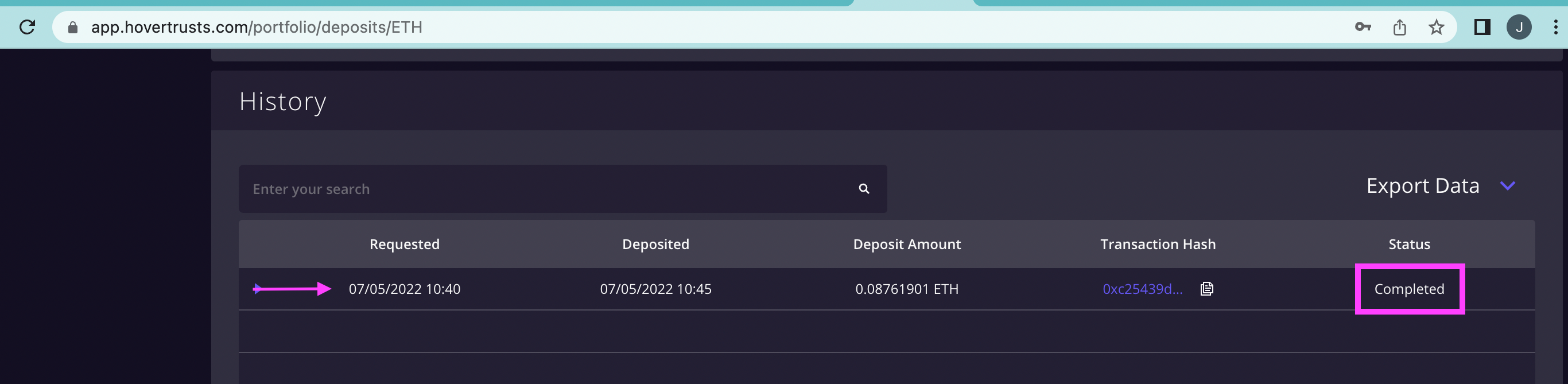
3) Scroll down until you see History. If your deposit has arrived, you should see it here.
4) Check the status to confirm if it is still pending or has been completed.
Was this article helpful?
That’s Great!
Thank you for your feedback
Sorry! We couldn't be helpful
Thank you for your feedback
Feedback sent
We appreciate your effort and will try to fix the article