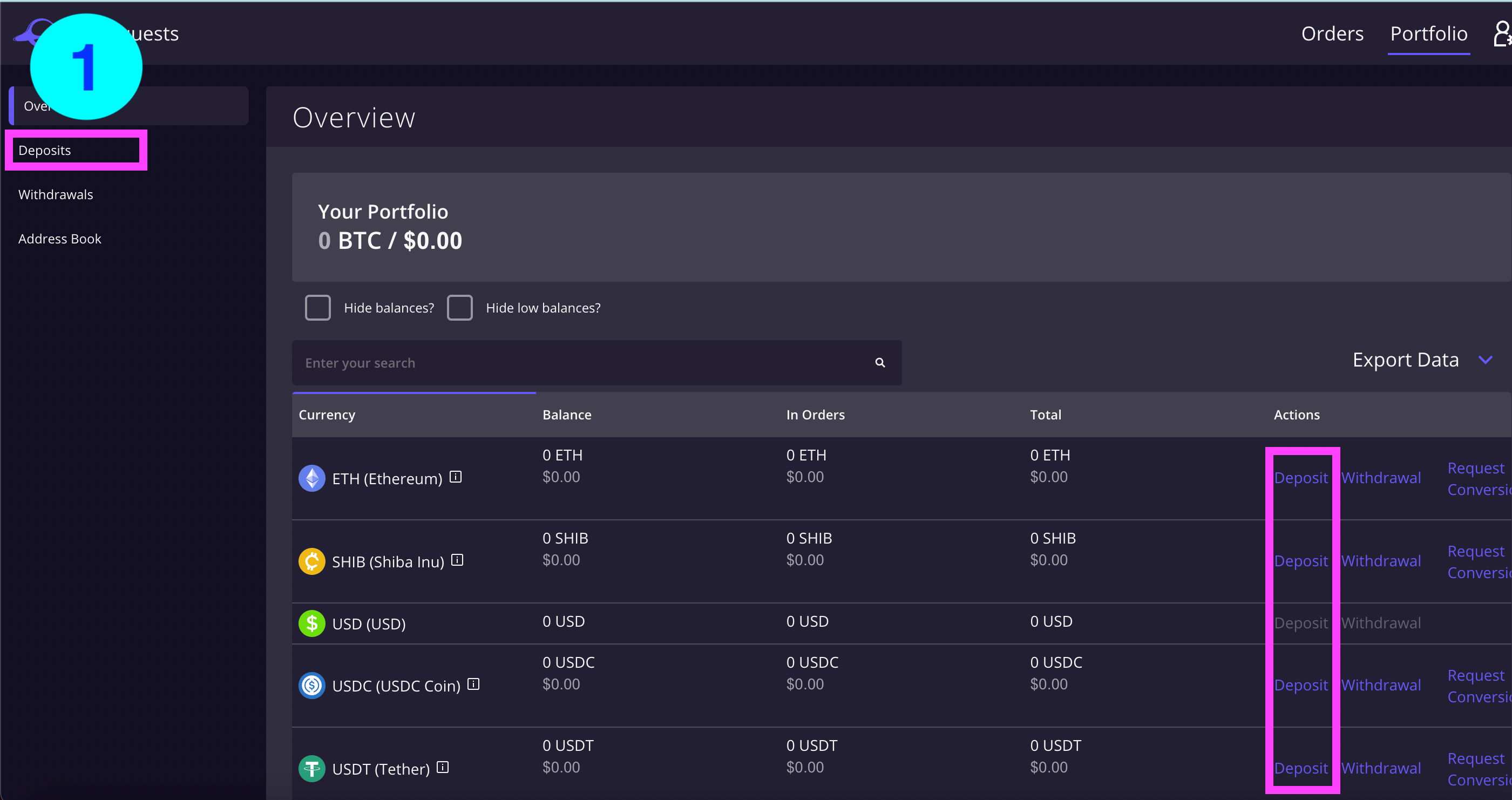
1) Starting from the overview page, select 'Deposits' on the menu to the left of your screen or select deposit under the cryptocurrency you want to receive.
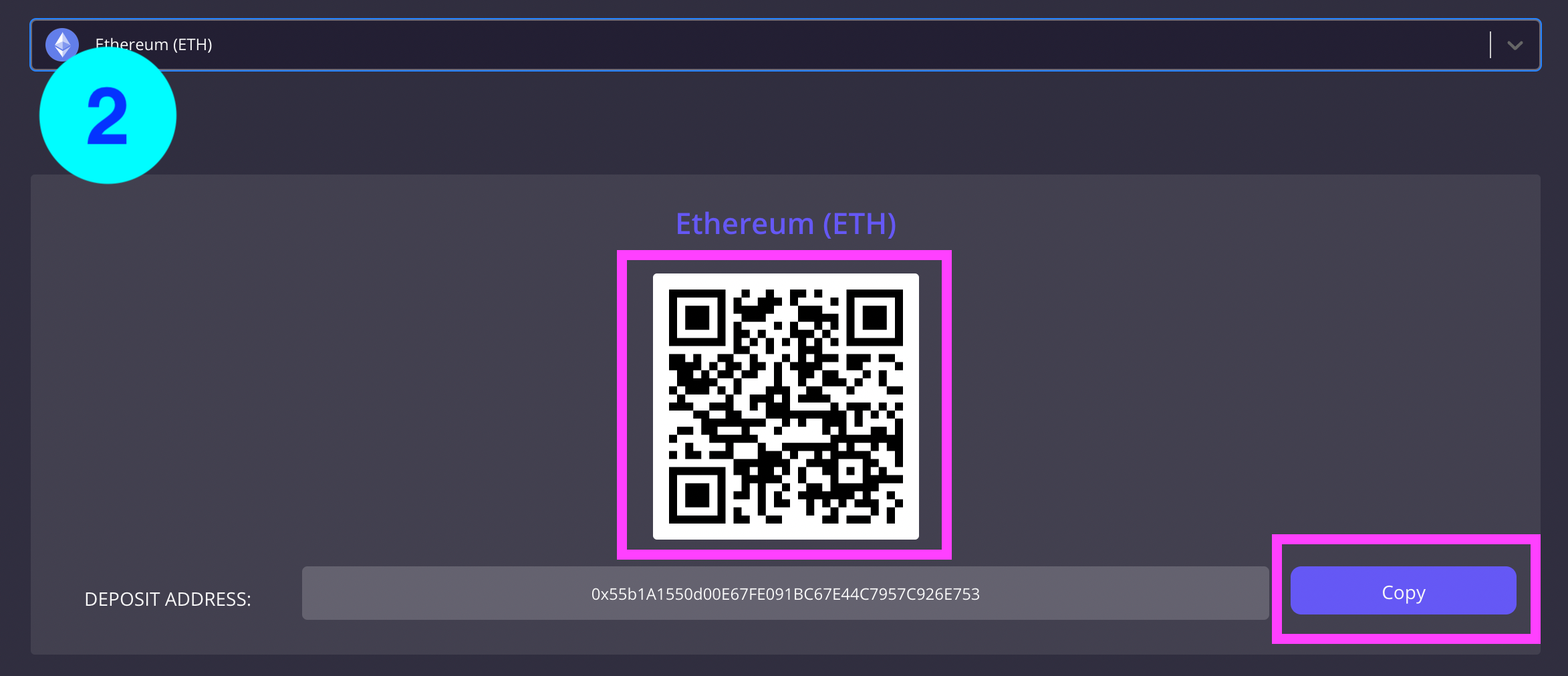
2) Select the cryptocurrency you want to receive and hit the 'Generate Deposit Address'.
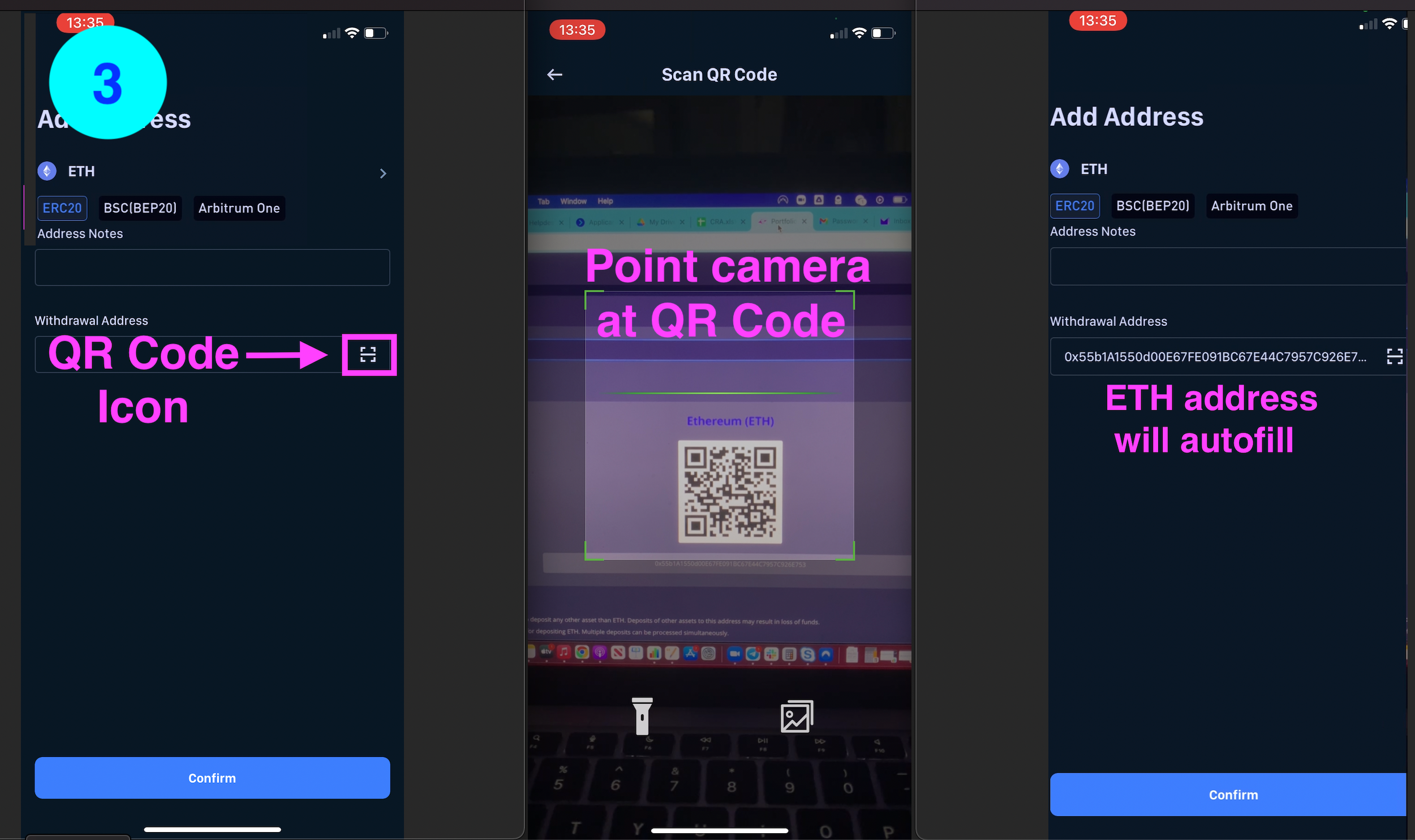
3) Copy the address if you are using your computer or scan the QR Code if you are using your mobile device. The QR Code scan icon is often found in or near the withdrawal address bar of the platform you are using. Select this icon, point your camera at the QR Code on your computer screen, and your wallet address will automatically appear in the address bar. **Ensure the ERC20 token on the Ethereum Blockchain is selected if the option is available.
4) Enter the amount you want to deposit and hit send. Your can follow status of your deposit on your ETH asset page under 'History'.

Was this article helpful?
That’s Great!
Thank you for your feedback
Sorry! We couldn't be helpful
Thank you for your feedback
Feedback sent
We appreciate your effort and will try to fix the article