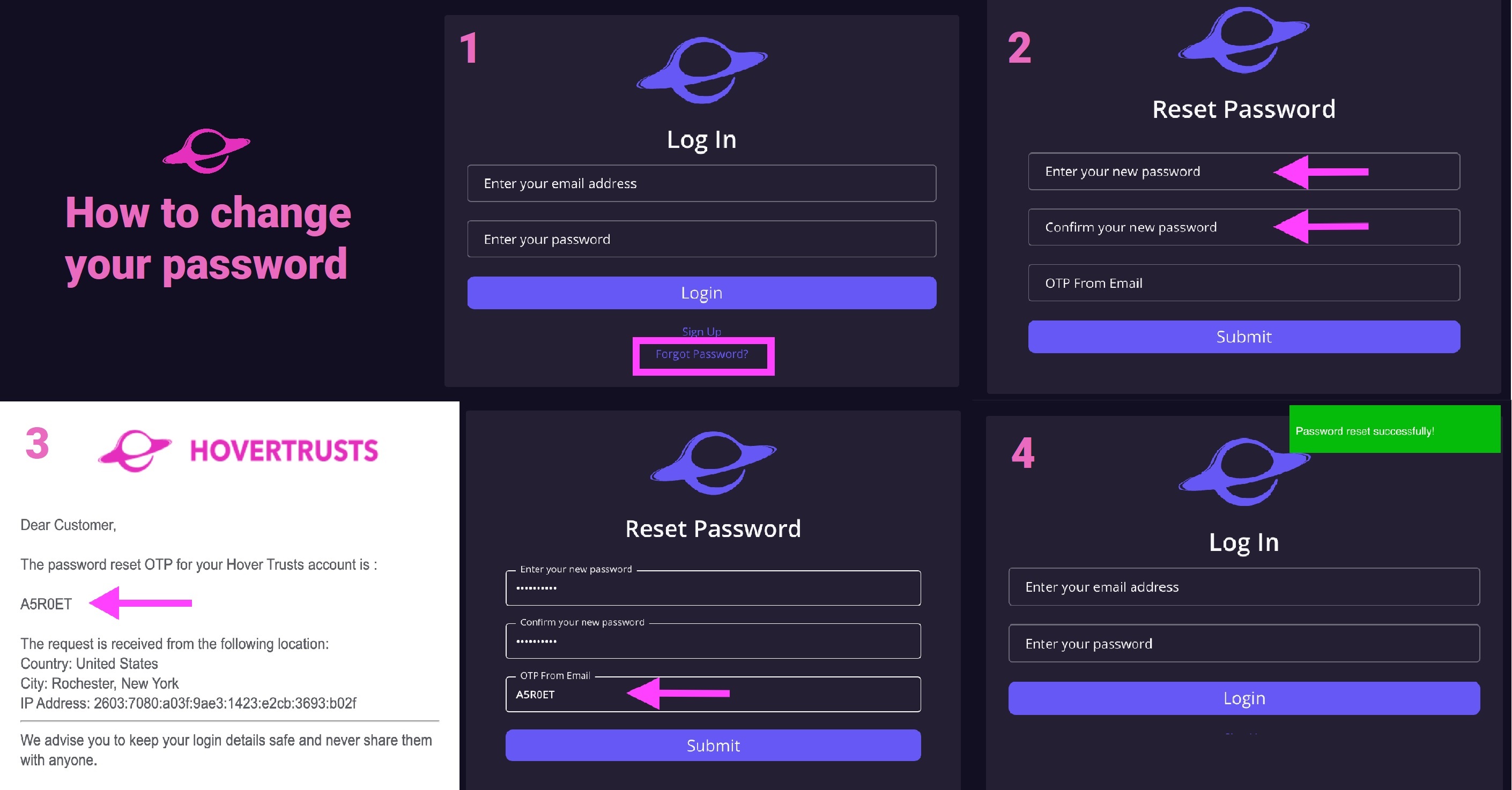
1) On the HoverTrusts platform login page, select "Forgot Password" below the login button.
2) Enter the email associated with your HoverTrust account and enter a new password for your account.
3) In order to change your password, you will need to reference the OTP (One Time Password) sent to your email and enter it below your password entries.
4) If your password is successfully updated, you will be re-directed back to the login page and receive a green notification in the top right corner of your screen.
If you continue to have issues, please contact us at support@hovertrusts.com for assistance.
Was this article helpful?
That’s Great!
Thank you for your feedback
Sorry! We couldn't be helpful
Thank you for your feedback
Feedback sent
We appreciate your effort and will try to fix the article