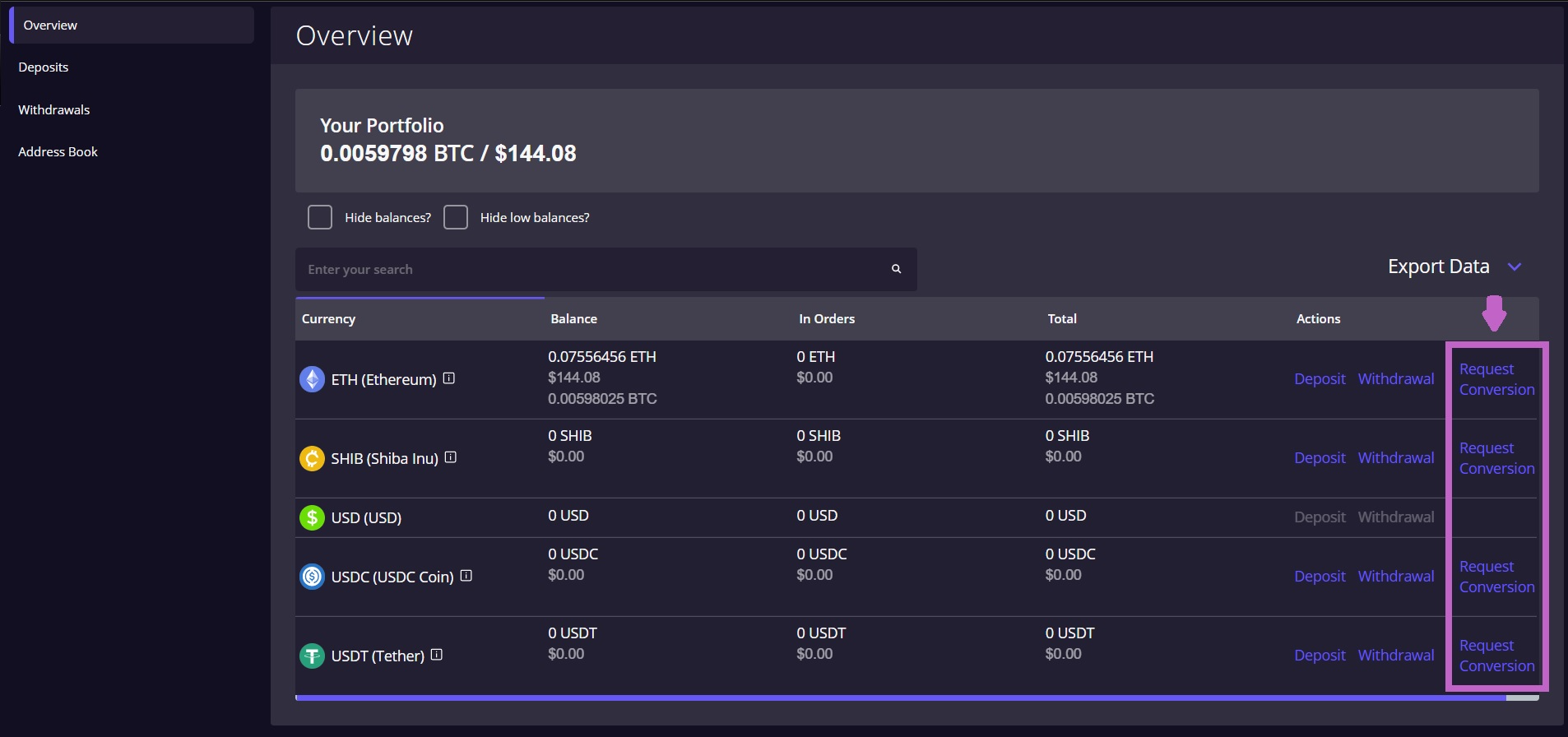
1) On the Overview/Portfolio page, find the digital asset you wish to convert and select 'Request Conversion' next to Withdrawal.
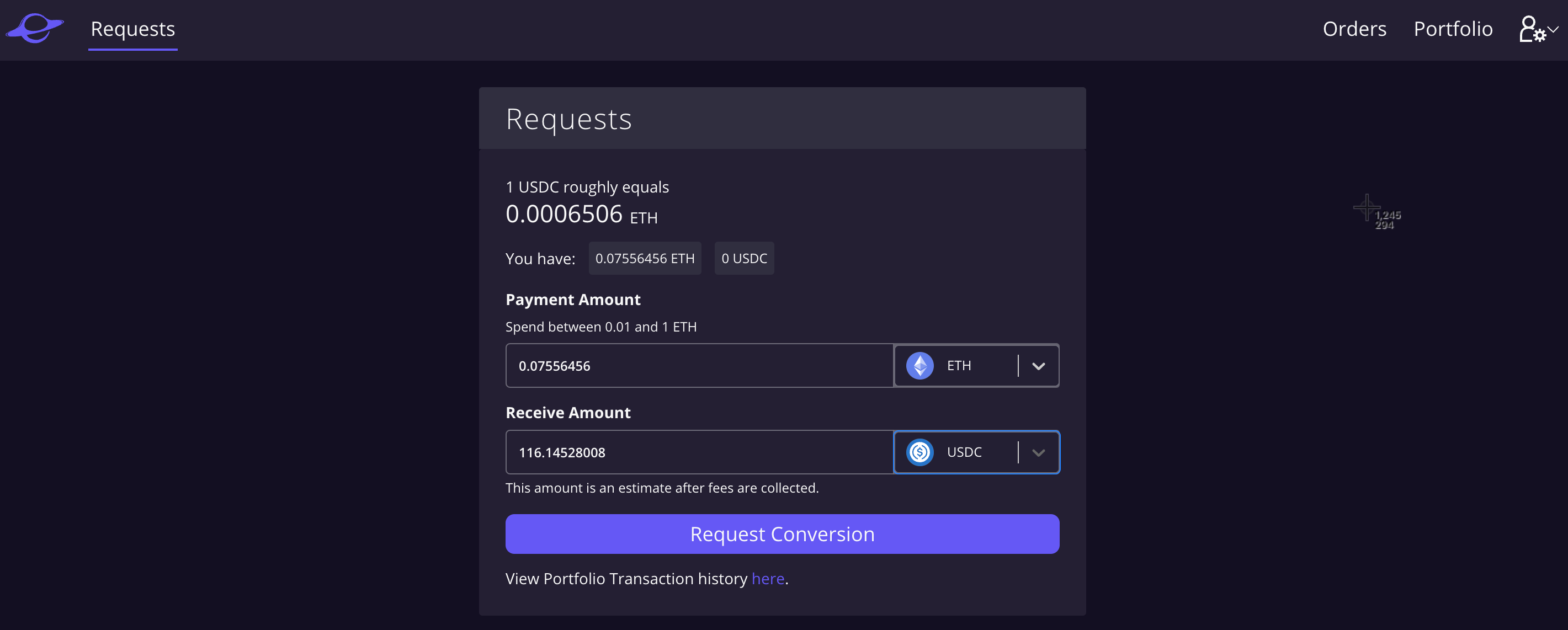
2) Select the asset you want to convert to, enter the amount you want to convert, and hit 'Request Conversion'.
3) The conversion will be approved by a Hover Trustee almost instantaneously.
Was this article helpful?
That’s Great!
Thank you for your feedback
Sorry! We couldn't be helpful
Thank you for your feedback
Feedback sent
We appreciate your effort and will try to fix the article