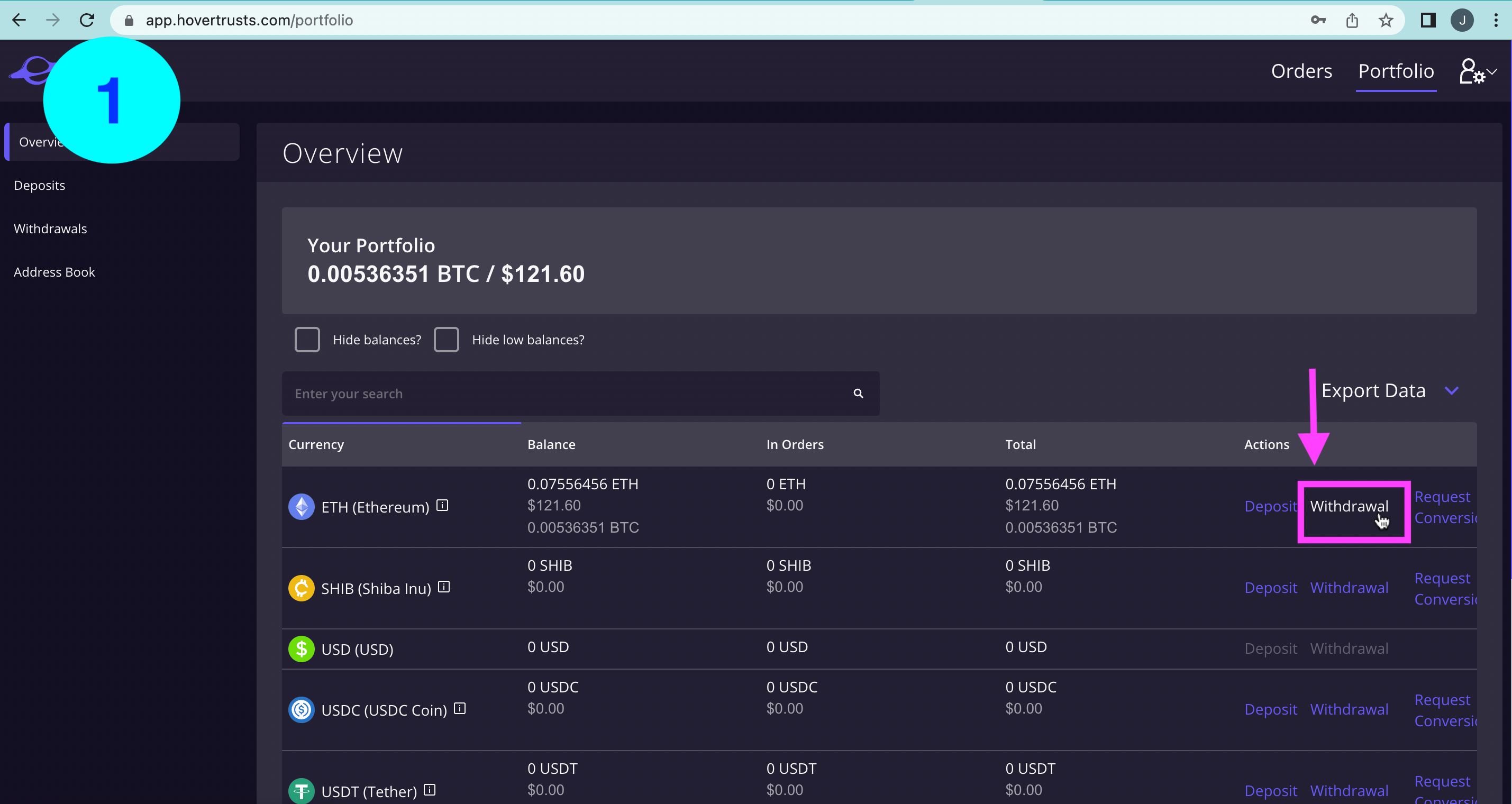
1) On the Overview page, select withdrawal next to the digital asset you wish to send.
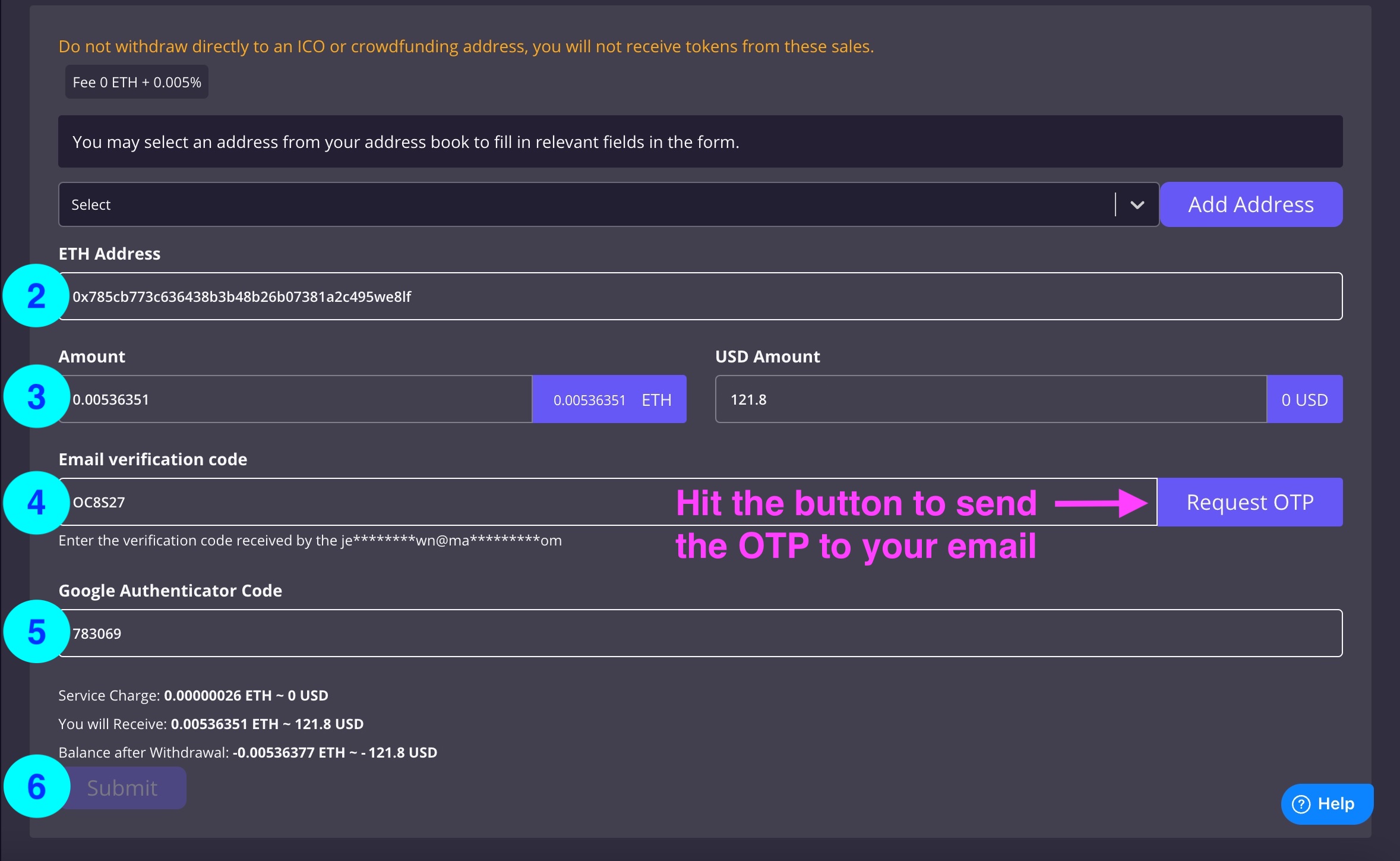
2) Enter the wallet address you want to send funds to.
3) Enter the amount you wish to send.
4) Hit 'Request OTP' to receive the one time password to withdraw your funds. Retrieve this code from your email and enter it under 'Email verification code'.
5) If you have 2-Factor Authentication, enter your 2FA code.
6) Hit submit and your funds will be sent.
Was this article helpful?
That’s Great!
Thank you for your feedback
Sorry! We couldn't be helpful
Thank you for your feedback
Feedback sent
We appreciate your effort and will try to fix the article